
Katana AI Video Remaker
Katana AI recreates videos with your own characters, products, and creative styles. Upload a reference video, add your assets, and generate a new version with AI.
Step 1: Choose Recreation Mode
Step 2: Upload Reference Video
Upload a video with the motion, camera movement, or visual concept you want to recreate.
Step 3: Add Your Assets
Upload your character or product images, or describe the changes you want to make.
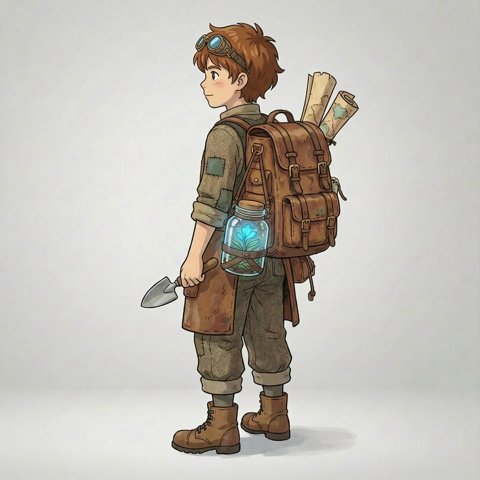
Character image (required) — One fictional character — anime, illustrated, cartoon or non-photorealistic 3D.
Best results: one clear, full-body illustrated, anime or 3D character per image, on a plain background. Photos of real people are not accepted.
Step 4: Describe Your Changes
Step 5: Generate Video
Output settings›
Katana AI Video Remaker Examples
Explore how Katana AI transforms reference videos with new characters, products, and visual styles.
 Reference
Character Recreation
Mode: Recreate with Character
Same walk, new character: the performer becomes an illustrated explorer from one reference image.
Product Recreation
Mode: Recreate with Product
Only the outfit changes: a painter's apron becomes a royal gown and crown, while the studio and her expression stay put.
Video Style Transformation
Mode: Change Video Style
A night walk through Tokyo, redrawn as anime. Every step, sign and camera move stays where it was.
Results depend on your footage, references and settings.
What Can You Recreate with Katana AI?
Recreate Short-Form Videos
Create new versions of short video concepts with your own animated characters or visual styles.
Recreate Product Videos
Showcase a different product, outfit, or object without rebuilding every shot from scratch.
Recreate Character Performances
Apply reference movements to an illustrated or 3D character for creative videos and animation.
Pricing
Plans and credit packs for AI video recreation. 1 credit = 1 second of 768P video; 2K uses 2 credits per second. Buy a pack once, or subscribe for a lower price per credit.
Trial
10 credits
- = 10s of 768P or 5s of 2K video
- ≈ 2 five-second 768P videos
- $0.50 per credit
- Credits expire 14 days after purchase
- One per account
- Character, product and style recreation
- Failed renders refunded automatically
Starter
25 credits
- = 25s of 768P or 12s of 2K video
- ≈ 5 five-second 768P videos
- $0.40 per credit
- Credits never expire
- Character, product and style recreation
- Failed renders refunded automatically
- Download your videos; commercial use subject to our Terms
Creator
60 credits
- = 60s of 768P or 30s of 2K video
- ≈ 12 five-second 768P videos
- $0.32 per credit
- Credits never expire
- Character, product and style recreation
- Failed renders refunded automatically
- Download your videos; commercial use subject to our Terms
Pro
140 credits
- = 140s of 768P or 70s of 2K video
- ≈ 28 five-second 768P videos
- $0.28 per credit
- Credits never expire
- Character, product and style recreation
- Failed renders refunded automatically
- Download your videos; commercial use subject to our Terms
Katana AI Video Remaker FAQ
What is Katana AI Video Remaker?+
Katana AI Video Remaker is an independent AI tool for recreating a reference video: you upload the video, add your own character or product, and generate a new AI version in your browser. Katana itself is a video editing feature made by Higgsfield that runs inside Claude through the Higgsfield connector. Katana AI Video Remaker is not Higgsfield Katana, is not affiliated with Higgsfield and does not use Higgsfield technology.
Is this the official Higgsfield Katana?+
No. This is an independent AI video recreation tool and is not affiliated with or endorsed by Higgsfield.
Can Katana AI recreate a video with my own character?+
Yes. Choose Recreate with Character and upload one image of an illustrated, anime, cartoon or non-photorealistic 3D character. Photos of real people, including yourself, public figures and minors, are not accepted, and anyone who appears in your reference video must have agreed to it.
Can Katana AI replace products in a video?+
Yes. Choose Recreate with Product, pick Product / Object, Outfit or Background, and either upload up to four images of the new item or describe it in text. Products and props that stay clearly visible in the shot work best.
Can I use Katana AI without Claude?+
Yes. Katana AI Video Remaker is an independent tool that works directly in your browser and does not require Claude setup.
Does it preserve the original audio?+
Not reliably. Depending on the mode and model, the result may come back with newly generated sound or without sound, so the original audio track is not guaranteed to carry over. Add your own soundtrack when you edit the clip if the original audio matters.
Is Katana AI free to use?+
Generating a video uses credits. You can buy a one-time trial pack, a credit pack or a monthly or yearly plan; 1 credit = 1 second of 768P video. The cost is shown before every render and failed renders are refunded.
Can I use the generated videos commercially?+
Commercial use depends on three things: you must own or have permission to use the reference video, images and audio you upload, your use must follow our Terms of Service and Acceptable Use Policy, and it must respect the terms of the underlying AI models. We do not give an unlimited commercial-use guarantee, so check those terms before publishing.